During a mock placement interview, two students gave polished answers to a familiar question: “Tell me about yourself.”
The first answer sounded impressive. However, when the panel asked a follow-up question, the student struggled. The words had come from an AI tool; the thinking behind them was missing.
The second student had also used AI. She asked it to simulate an interviewer, challenge weak claims, and suggest sharper examples. She then rewrote every answer in her own voice.
Both students used the same technology.
Only one converted it into capability.
AI Anxiety or Student Behaviour Story
Across classrooms, I see two extreme reactions.
Some students use AI as a shortcut for assignments, presentations, research summaries, and interview answers. Some faculty members fear that any use of AI weakens learning.
Both positions miss the larger opportunity.
The real problem is neither AI use nor AI avoidance. It is unthinking use—accepting generated content without questioning its accuracy, relevance, logic, or originality.
The Central Question
How can students use AI to move faster without weakening their independent thinking, ethical judgment, and professional credibility?
Why This Matters Now
AI literacy is becoming part of employability literacy.
The World Economic Forum’s Future of Jobs Report 2025 identifies AI and big data among the fastest-growing skills and estimates that 39% of workers’ core skills may change by 2030.
Yet familiarity with AI is not enough. Microsoft’s 2026 Work Trend Index found that quality control of AI output and critical thinking were among the human capabilities respondents considered increasingly important as AI takes on more work.
The real advantage will come from combining AI fluency with judgment, communication, domain knowledge, and accountability.
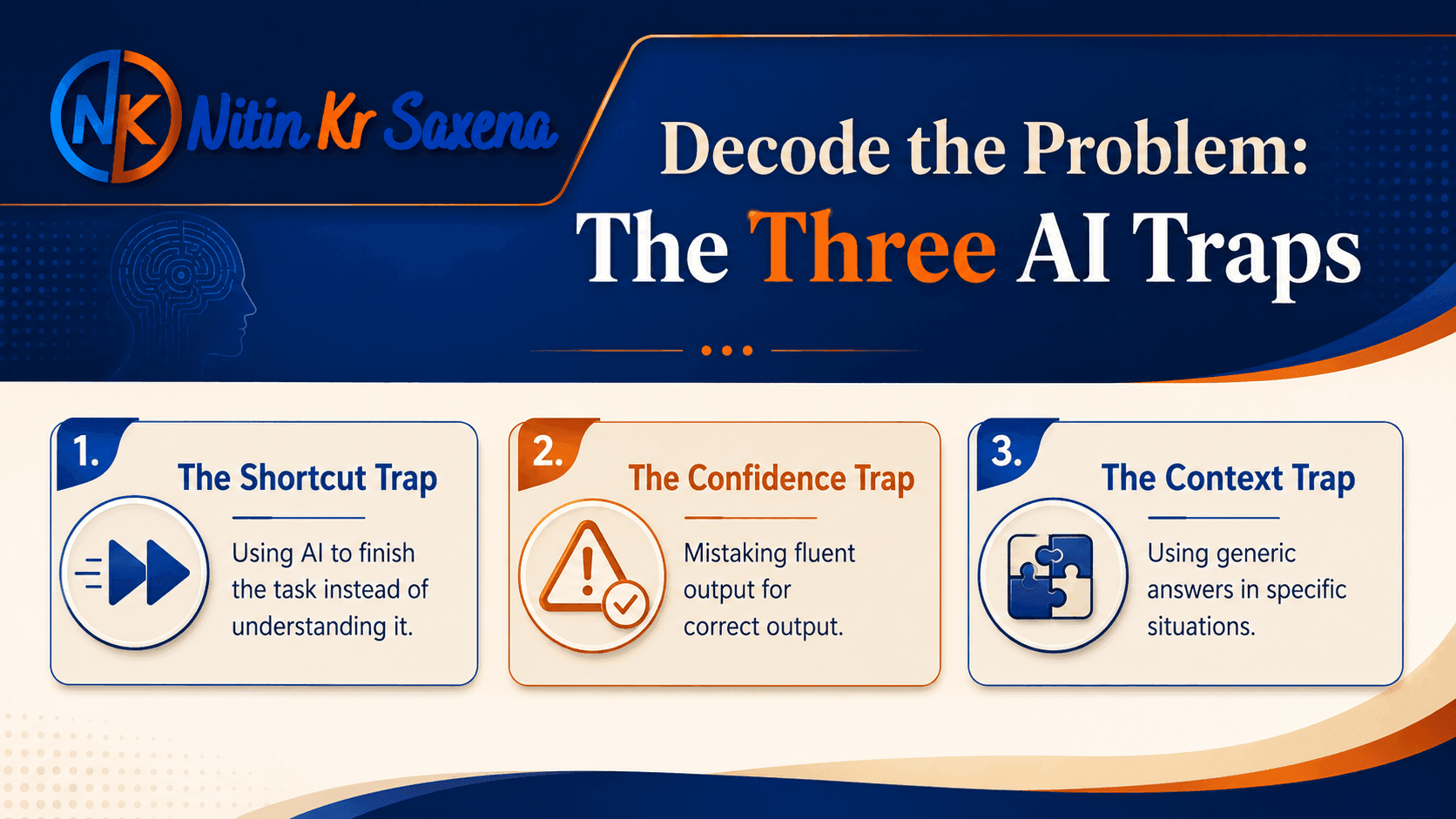
Decode the Problem: The Three AI Traps
1. The Shortcut Trap
Students ask AI to complete the task instead of helping them understand it.
The output may be finished, but the learner remains unfinished.
2. The Confidence Trap
AI can present weak, outdated, or invented information in convincing language.
Fluency is easily mistaken for accuracy.
3. The Context Trap
A generic answer may be grammatically correct but unsuitable for a particular course, company, interview, research question, or audience.
Core Insight
From the boardroom, I learned that speed matters.
From the classroom, I learned that speed without understanding creates fragile performance.
AI can reduce the time required to search, organise, compare, practise, and improve. But it cannot take responsibility for a decision. In interviews, research, presentations, and managerial work, final accountability remains human.
Use AI to accelerate your effort, not to outsource your judgment.
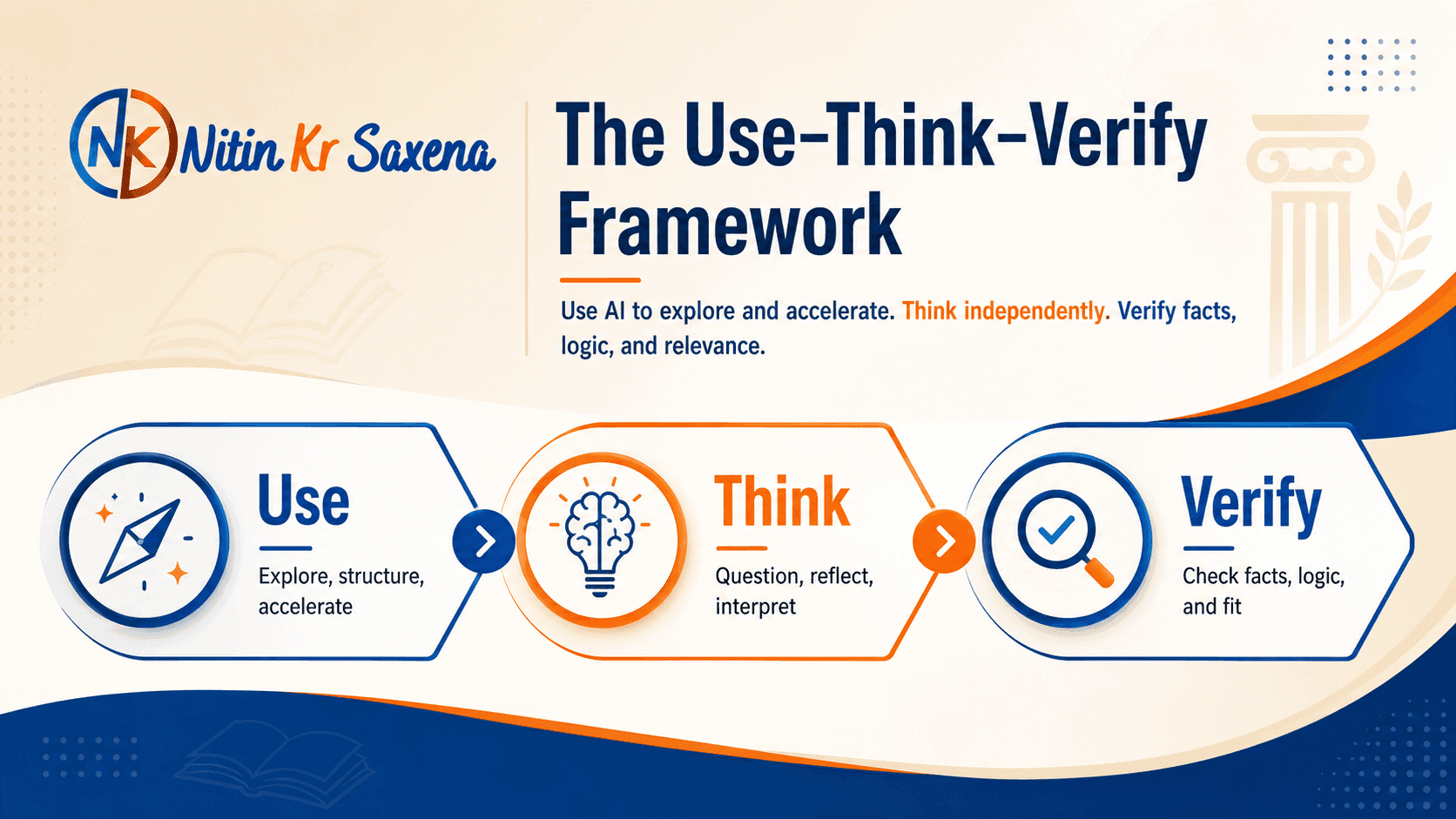
The Use–Think–Verify Framework
Use
Use AI to explore unfamiliar concepts, structure ideas, generate questions, compare alternatives, and accelerate first drafts.
Think
Pause before accepting the response.
Ask yourself:
Does this make sense? What is missing? What do I believe? Can I explain this without the tool?
Verify
Check facts, citations, calculations, examples, logic, confidentiality, and relevance. Confirm important information through credible sources and disclose AI assistance where required.
For faculty, this framework shifts the conversation from:
“Did the student use AI?”
to:
“How intelligently, ethically, and transparently was AI used?”
Practical AI Use Cases
Interview preparation: Right—simulate role-specific questions, request feedback, and practise follow-ups. Wrong—memorise polished answers disconnected from your experience.
Resume and LinkedIn: Right—improve clarity, keywords, structure, and evidence. Wrong—invent achievements or use a personality-free template.
Concept learning: Right—request simpler explanations, analogies, counterexamples, and quizzes. Wrong—accept the first explanation without checking course material.
Research support: Right—refine questions, identify search terms, compare theories, and organise notes. Wrong—cite references you have neither opened nor verified.
Presentation preparation: Right—develop a storyline, anticipate questions, and simplify complex ideas. Wrong—paste dense AI-generated text directly onto slides.
Case analysis: Right—generate alternative interpretations and test assumptions. Wrong—submit a generic solution without connecting it to case facts.
Career planning: Right—map your skills against target roles and build a realistic learning plan. Wrong—treat an AI-generated career recommendation as a final decision.
Action Steps
For Students
Use AI for one academic task this week and record what it improved, what you rejected, and what you verified.
Build a prompt library for learning, interviews, presentations, and career research.
Never submit content you cannot explain confidently.
Remove confidential information before using public AI tools.
For Faculty
Design assignments requiring reflection, local context, oral defence, drafts, or evidence of process.
Teach verification, citation, disclosure, and responsible prompting.
Compare one strong and one weak AI-assisted response in class.
For Institutions
Publish clear, assignment-level AI guidelines instead of relying only on blanket bans.
Embed AI literacy into orientation, research methods, employability, and faculty development.
Assess reasoning and judgment, not merely polished output.
My journey from boardroom to classroom has repeatedly shown me that tools change, but professional credibility still rests on judgment.
The future-ready student will not compete with AI by trying to work like a machine. The student will use AI to ask better questions, learn faster, communicate clearly, and make more responsible decisions.
AI should strengthen human learning—not replace the human responsibility to think.
A Reflective Question
When AI makes your work look better, does it also make your thinking better?